Taking Photos of Your Dog Doesn’t Have to Be Hard
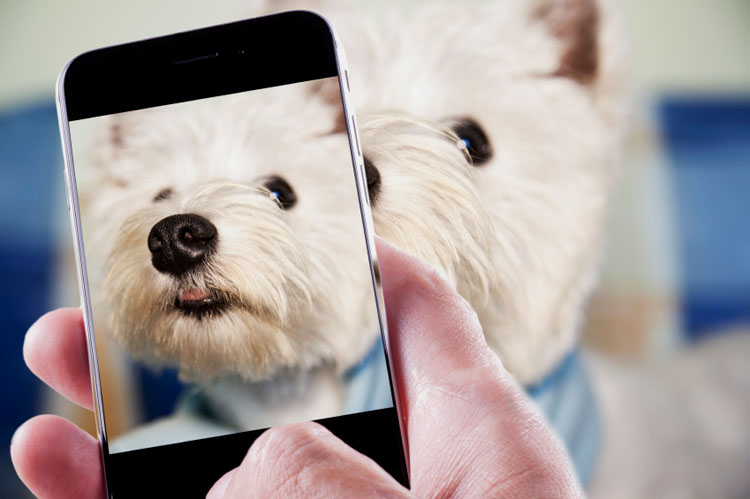
We are obsessed with taking pictures of our dogs. They’re our best friends and just darling to look at too! Professional photographers across the world will cringe as I type this, but you don’t need professional equipment or fancy lighting to capture perfect pictures. All you need is your voice, dog and smartphone; and, of course, sunlight will always help.
How to Take Photos of Your Dog
Make a High-Pitched Sound
Dogs love rapidly repeating high-pitched sounds. Use these sounds to your advantage when taking pictures of your dog. Honestly, these sounds work better than treats. Before using your high-pitched voice, get your camera ready and be prepared to snap away the moment you make these sounds.
Examples of what you can say or do are “puppy, puppy, puppy;” kissy sounds or tongue clicks. Make sure to repeat these sounds rapidly over and over again. As for tone, do your best imitation of an 8-year-old girl’s voice. If this is impossible, ask a friend to stand right behind you and clap repeatedly until you’ve captured your dog’s darling expression.
Get Close
Zoom in or get close to your dog’s face when taking close-up photos. Of course, if your dog is scared of the camera, you’ll need to zoom in. Personally, I don’t think you could ever get too close. You’d be amazed at your dog’s eye expression close up. If your dog turns away, rapidly repeat a high-pitched sound to get his attention and snap your photos quickly.
Sit on the Floor
Plop down on the floor and snap a few pictures at your dog’s level. You’ll get some really great standing, playing and downright funny photos. Snap away, as your dog is walking toward you and your camera. These moments make the best photos! Again, if your dog is distracted, use a high-pitched voice to redirect him back toward you.
Crop & Add a Filter
Honestly, the best photos are perfectly cropped and enhanced with filters. Our smartphones make this super easy now. If your dog is further away in the background, crop to remove visible background, so your dog is center stage. Red eyes happen or, better yet, green eyes happen even with the best photographer, so don’t forget to add a filter. By far, my favorite filter is Chrome on iPhones. It will lighten and enhance every picture. Don’t be afraid to play around with filters until you find just the right one. There are tons of free photo filter apps too, so no excuses.
When you’ve captured, cropped and filtered a fabulous photo, please share it with the world on social media. Then, have it blown up and framed to display at home and work.